
Set up your mic
How to choose the best microphone setup for reliable, high-accuracy transcription in your surgery.
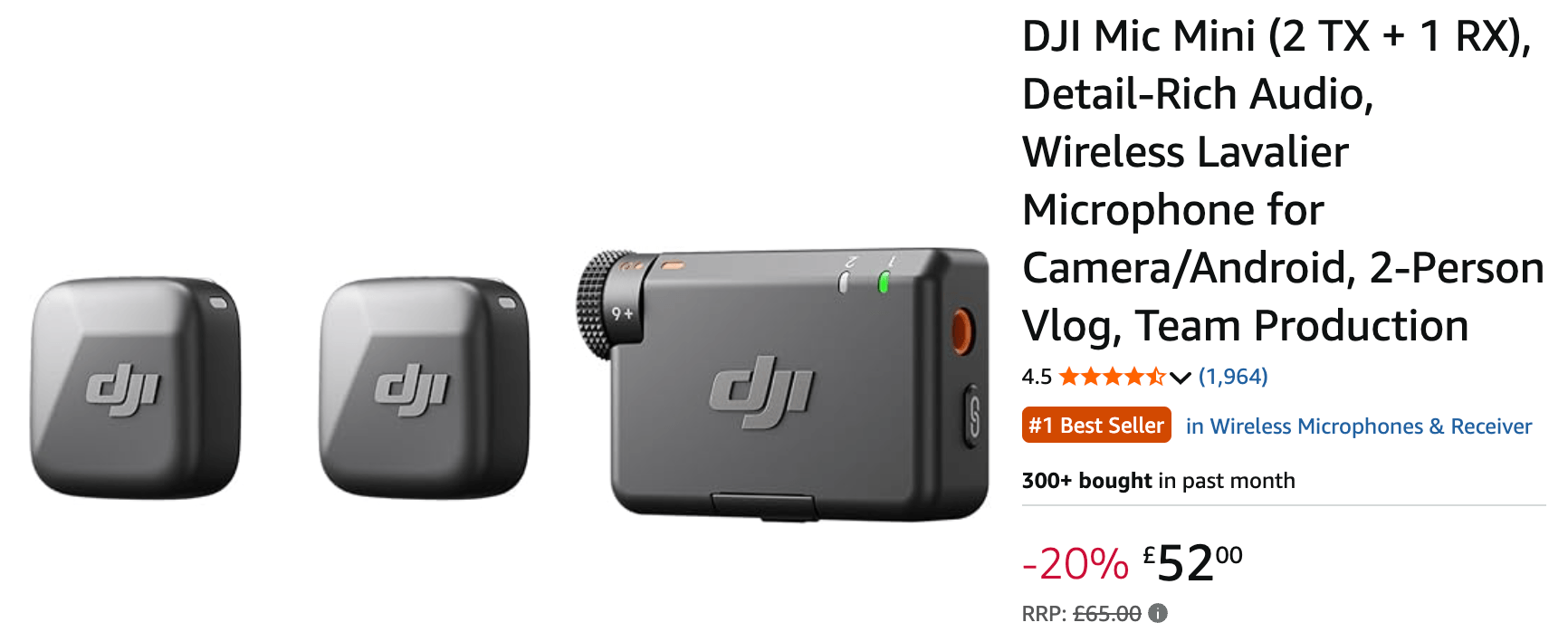
1. 1st choice: DJI Mic Mini (wireless clip-on)
If you need consistent, high-quality transcription, we recommend the DJI Mic Mini. Keep the receiver plugged into your PC, and keep the microphone in your pocket. Because the mic is close to your body, the audio quality is much better than a desk mic. You get two microphones in one pack, so keep one charged whilst using the other.
Buy the DJI Mic Mini on Amazon
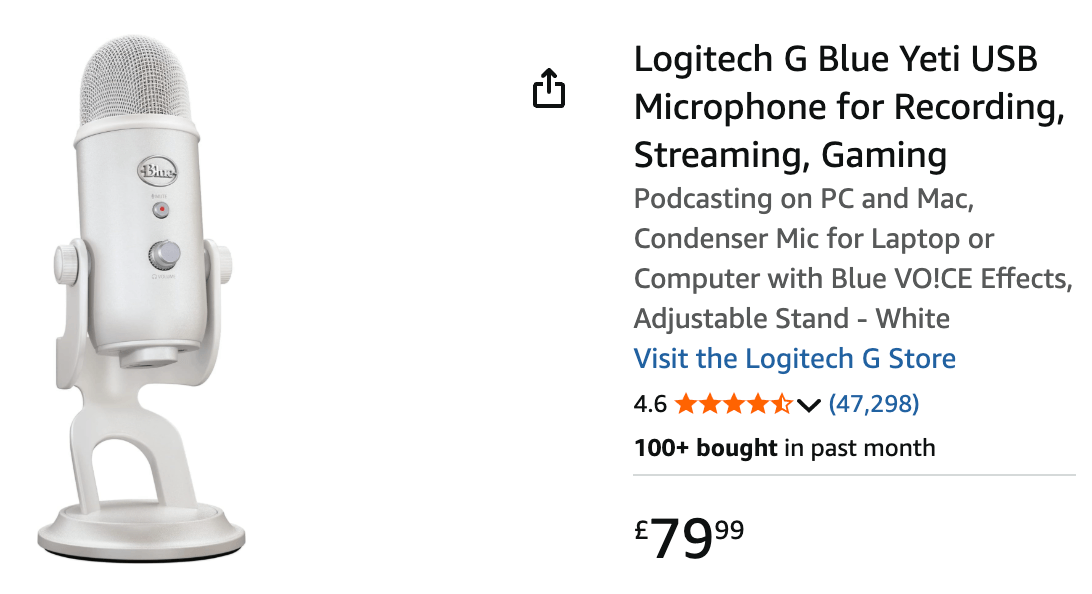
2. 2nd choice: Blue Yeti (USB desk mic)
If you'd prefer not to deal with wireless connectivity, a USB desk microphone is the simplest option. Just plug it in and go. No batteries, and no wireless connection to worry about. Leave it on your desk near your computer. It's most suitable if you stay within about 4 metres of your desk when speaking.
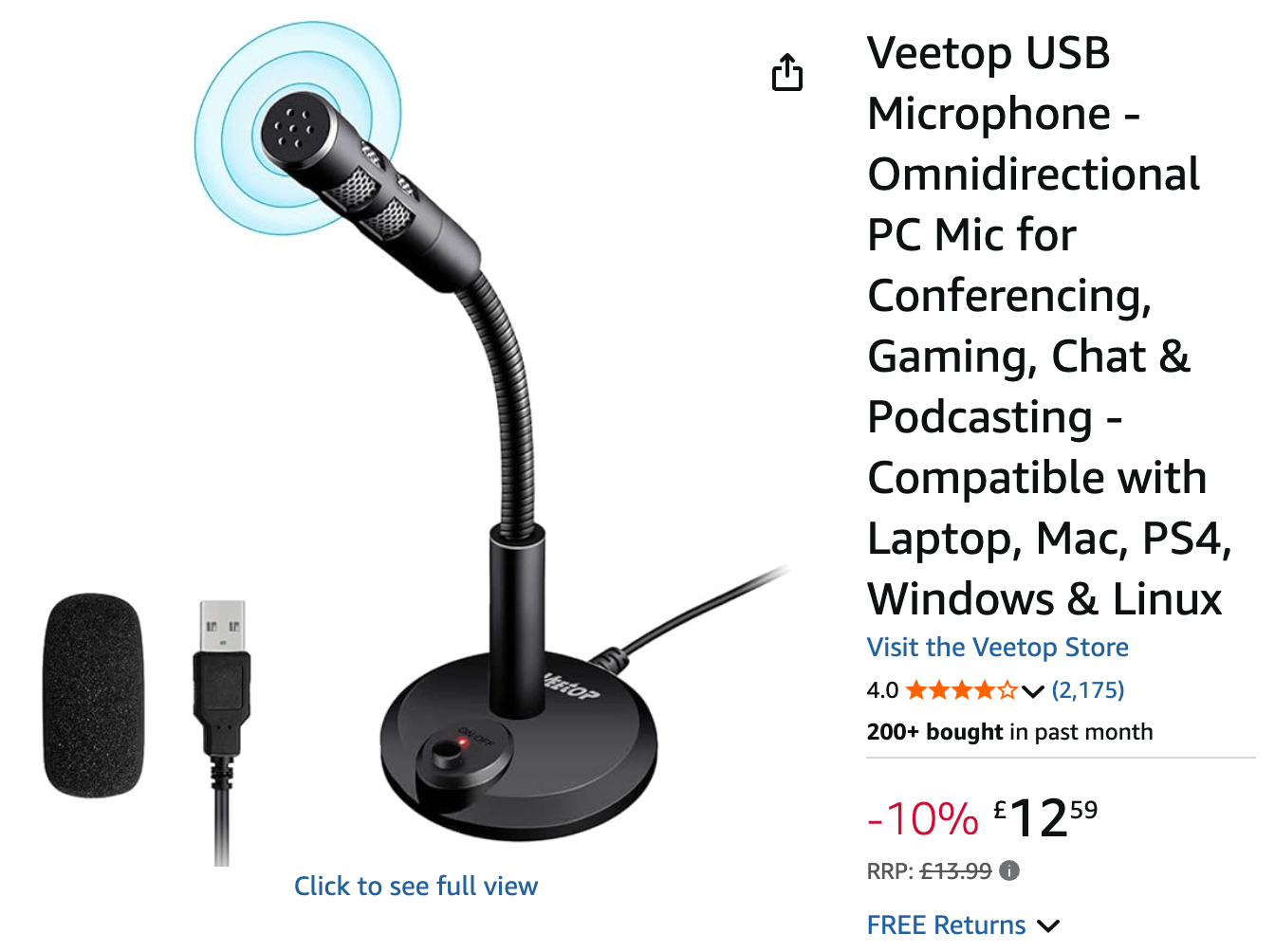
3. 3rd choice: Veetop (budget starter mic)
This is a beginner desk mic to see if Dentascribe fits your workflow before you commit to a higher-quality option. We wouldn't recommend it for long-term use, as it can be unreliable and lose connection suddenly.
4. How to start recording
Open a new appointment and click the large microphone button. If this is the first time you've used Dentascribe, it'll request microphone permissions. Leave transcription running in the background for your whole appointment.
Questions
Do I need to unplug or turn off the microphone between appointments?
No. Dentascribe only accesses the microphone when you actively click Transcribe. You can leave it plugged in and turned on throughout the day.
Why shouldn't I use my laptop or webcam built-in microphone?
Built-in microphones are usually very low quality, which reduces transcription accuracy. A dedicated wireless clip-on or desk mic placed close to you gives much clearer audio.
What should I do if my browser has blocked microphone access?
Click the lock or site settings icon next to the URL in your browser's address bar, set Microphone to Allow, and reload the page.
How do I switch from my computer's built-in microphone to my dedicated mic? It's only connecting to the built-in microphone.
Dentascribe doesn't handle your active microphone. To change your active mic, go into your PC's settings and set the default microphone to your dedicated mic.