
Facts About Dentascribe: What It Does, What It Costs, and How It Works With SOE, R4 and Dentally
Dr Anuj Gupta • 5 minute read • July 8, 2026
There are now a lot of AI dental note-taking tools available to UK dentists. Some are broad practice dashboards. Some are general medical AI scribes that have added dental templates. Some focus on patient education, treatment plans or case acceptance.
Dentascribe is a little different.
It was built specifically for dental clinical records: helping dentists write better notes, faster, without changing their practice management software, throwing away their templates, or learning an entirely new way of working.
This guide sets out the facts about Dentascribe: what it does, what is free, what paid plans add, and how it works with SOE, R4 and Dentally.
What is Dentascribe?
Dentascribe is an AI dental notes platform built for dentists and dental professionals.
It helps you create structured clinical records using:
- clickable dental templates
- audio notes from recorded appointments
- custom templates
- patient letters
- team/shared templates
The aim is simple: spend less time writing clinical notes and more time focusing on patients.
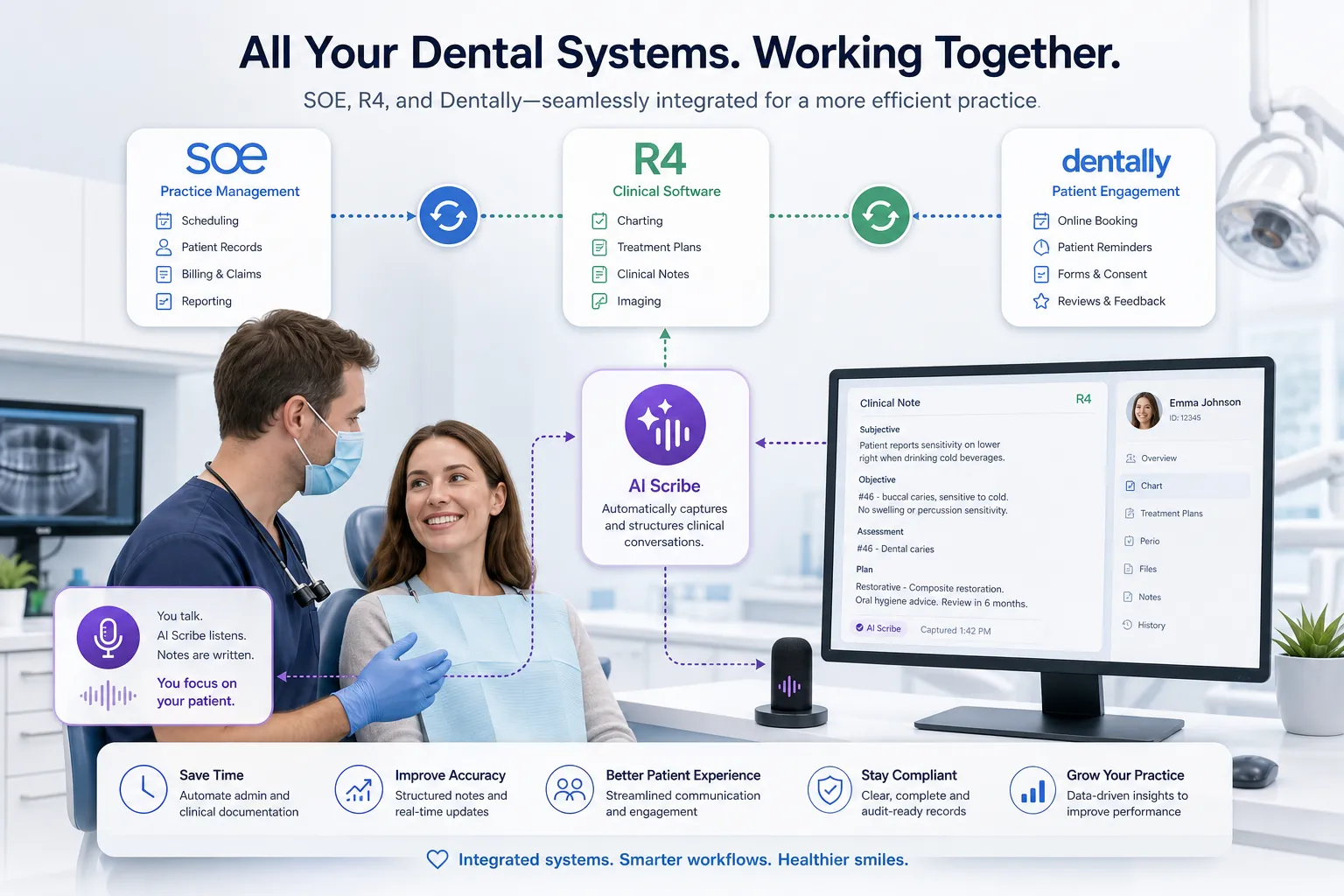
Dentascribe does not replace your practice management system. It works alongside the systems dentists already use every day, including SOE/Exact, R4, Dentally and other PMS platforms.
Does Dentascribe work with SOE, R4 and Dentally?
Yes. Dentascribe is designed to work alongside SOE/Exact, R4, Dentally and other dental practice management systems.
The workflow is simple:
- Create your note in Dentascribe.
- Review and edit it.
- Copy the final note.
- Paste it into your PMS.
There is no installation, no PMS migration, and no need to change the way your practice stores official records.
It is important to be clear about one limitation: Dentascribe does not currently write directly into SOE, R4 or Dentally automatically. Your PMS remains the official clinical record. Dentascribe helps you produce the note more quickly, but you still review it and paste it into the correct patient record yourself.
For most dentists, this is enough. It keeps the workflow flexible, simple and easy to adopt.
Is Dentascribe free?
Yes. Dentascribe has a free plan.
The free plan includes unlimited appointments using pre-built clickable dental templates. This is not just a short trial. Dentists can use Dentascribe’s clickable notes without paying for a subscription.
Paid plans are available for dentists who want more automation, including audio notes, smart dictation, custom template notes, letters and team features.
At the time of writing, Dentascribe includes:
- Free: unlimited clickable notes using pre-built templates
- Pro: audio notes, smart dictation, custom template notes and more
- Ultra: unlimited letters, team creation and shared templates
Pricing can vary depending on whether you choose monthly or yearly billing, so it is always worth checking the current pricing page before subscribing.
What are clickable notes?
Clickable notes are structured templates that help you build clinical records quickly by selecting the relevant findings, discussions and treatment details.
They are useful when you do not want to record an appointment, or when you prefer your nurse to click through a structured template while you speak to the patient.
For many dentists, clickable notes are still the fastest and most predictable way to document routine appointments. They are easy to review, simple to customise, and do not require patient audio recording.
What are Dentascribe audio notes?
Dentascribe audio notes let you record an appointment or dictate a summary, then use AI to turn that conversation into a structured clinical record.
This is useful when a lot has been discussed, such as:
- new patient examinations
- treatment planning
- consent discussions
- emergency appointments
- complex restorative appointments
- perio discussions
- orthodontic or cosmetic consultations
The aim is not to produce a rough transcript. The aim is to produce a clinical note that reads like a dental record.
As with any AI note-taking tool, the clinician remains responsible for reviewing the output. Dentascribe can save a huge amount of time, but it should never remove your professional judgement.
Can I use my own templates?
Yes. This is one of the main reasons Dentascribe exists.
Most dentists already have templates they like. They may have spent years refining their examination notes, consent paragraphs, treatment templates and review structures.
Dentascribe is built around the idea that you should not have to throw that work away.
You can bring your own templates into Dentascribe and use them as the basis for your notes. On paid plans, Dentascribe can also help generate notes using your custom templates, so the output feels closer to your own clinical style rather than a generic AI structure.
Is Dentascribe GDPR compliant?
Yes. Dentascribe is built with UK dental data protection requirements in mind.
Dentascribe is:
- GDPR compliant
- NHS DSPT compliant
- UK Cyber Essentials certified
- built with encrypted transmission
- designed so audio is deleted after transcription
- built with a policy of not using patient data to train AI models
Dentascribe also uses client-side encryption for stored clinical records. Clinical records stored in Dentascribe are automatically deleted after a retention period to avoid unnecessary long-term storage of patient data.
That said, GDPR compliance is not just about choosing compliant software. Your practice remains the data controller. You still need to think about patient transparency, consent, your privacy notice, your data processing agreement, and how AI note-taking fits into your practice policies.
Are audio recordings stored?
No. Dentascribe does not store appointment audio recordings as a permanent record.
Audio is processed to generate the transcript and clinical note, then deleted. Dentascribe’s position is that audio should not be kept unnecessarily.
How is Dentascribe different from broader dental dashboard tools?
Some AI dental tools now bundle notes with wider practice features such as rota tools, finance tracking, patient packs, referral networks, HR/CPD modules or treatment plan workflows.
Those tools may be useful for practices that want a broader workspace.
Dentascribe is more focused.
It is built primarily for clinical documentation: notes, templates, ambient audio notes, letters and team sharing. The aim is to make the note-taking workflow fast, affordable and easy to adopt without needing the whole practice to change systems.
Most dentists do not need another complicated platform in the middle of a busy clinic. They need something that helps them write a good note quickly, works with the PMS they already use, and does not create more admin than it removes.
How is Dentascribe different from general medical AI scribes?
General medical AI scribes can be very powerful. Some now include dental templates and can be adapted for dental use.
But dentistry has its own documentation needs: tooth notation, BPE scores, radiographic findings, consent discussions, treatment options, periodontal diagnosis, restorative detail, local anaesthetic details and post-operative instructions.
A general medical consultation note is usually structured differently. A GP-style note may not naturally match the way a UK dentist expects to read or write a clinical record.
Dentascribe is dental-first. It was built around dental terminology, UK-style dental records, clickable templates and the practical workflow of copying notes into SOE, R4, Dentally or another PMS.
What Dentascribe does not do
Dentascribe does not replace your PMS. It does not become your official patient record. It does not automatically write into SOE, R4 or Dentally. It does not remove the need to review your notes. And it does not remove your responsibility as the treating clinician.
AI is a tool. It can help you capture more detail, write faster, and reduce the burden of documentation. But the final record is still yours.
Who is Dentascribe best for?
Dentascribe is best suited for dentists who want faster, better structured clinical notes without changing the way their practice runs.
It is particularly useful if you:
- use SOE/Exact, R4, Dentally or another PMS
- want to keep your own templates
- want free clickable notes
- want the option of audio notes when needed
- want a dental-specific AI tool rather than a general medical scribe
- want a low-friction workflow that can be adopted quickly
Frequently asked questions
Does Dentascribe work with SOE?
Yes. Dentascribe works alongside SOE/Exact using a copy-and-paste workflow. You generate and review your note in Dentascribe, then paste it into the correct patient record in SOE.
Does Dentascribe work with R4?
Yes. Dentascribe can be used with R4 in the same way. Create the note in Dentascribe, review it, and paste it into R4.
Does Dentascribe work with Dentally?
Yes. Dentascribe works alongside Dentally. Dentascribe does not replace Dentally, but it can help you generate notes and letters before copying them into the patient record.
Is Dentascribe free?
Yes. Dentascribe has a free plan that includes unlimited clickable notes using pre-built templates. Paid plans add features such as audio notes, custom template notes, smart dictation, letters and team sharing.
Is Dentascribe a dictation tool or an ambient scribe?
It can be both. You can use Dentascribe for clickable, interative notes, dictation, or ambiently transcribing in the background, but it’s most useful as an ambient scribe.
Is Dentascribe GDPR compliant?
Yes. Dentascribe is designed for UK GDPR compliance and is also NHS DSPT compliant and UK Cyber Essentials certified. Practices still need to use AI tools responsibly and update their own policies where appropriate.
Conclusion
Dentascribe was built to solve a very practical problem: dental notes take too long, but they matter too much to rush. We’re not the first platform to have an attempt at making an AI scribe for dentists, but we genuinely believe that we’ve the best platform available on the internet.
The goal is not to replace dentists, nurses, or practice management systems. The goal is to make clinical documentation faster, more consistent and less stressful, while fitting into the way dentists already work.
If you use SOE, R4, Dentally or another PMS, Dentascribe sits alongside it. If you want to keep your templates, you can. If you want to start without paying, you can use the free clickable notes plan. And if you want audio notes, dictation, letters and team features, you can upgrade when those features become useful.
AI note-taking should not make dentistry more complicated. Used properly, it should give you time back, improve the quality of your records, and indirectly improve patient care. That is what dentists who use Dentascribe consistently tell us:
“It really takes the pressure off writing notes… Would really recommend to any dentist, especially if you’re struggling to finish off your notes and get home on time.” Dr Preeya Mohite
“It really cuts down time writing notes and allows me to really listen to the patient as opposed to typing away.” Dr Ravi Rathod
“I used Heidi until now but found it hit and miss. I tried Kiroku and it was too much clicking. Dentascribe notes are so much more structured and look more like my preferred notes… Dentascribe blends both Heidi and Kiroku and it’s amazing.” Dr Beata Wozniakowska
“Having previously used Kiroku and Heidi, Dentascribe has been by far the most impressive and intuitive notes software I’ve found.” Dr Rory MacAskill
Ready to try a better way to write dental notes?
Join the growing community of UK dentists using Dentascribe to reclaim their time, improve their records, and finish work on time.
No credit card required. Unlimited clickable notes on the free plan.